The FIFINE AmpliGame SC3 combines an XLR microphone input with hands-on controls for a single-mic streaming or recording setup.
This fifine audio mixer sc3 review looks at where its channel faders, monitoring, effects, and connection options fit—and what buyers should check before building around it.
AmpliGame SC3 Review Summary
The quick verdict
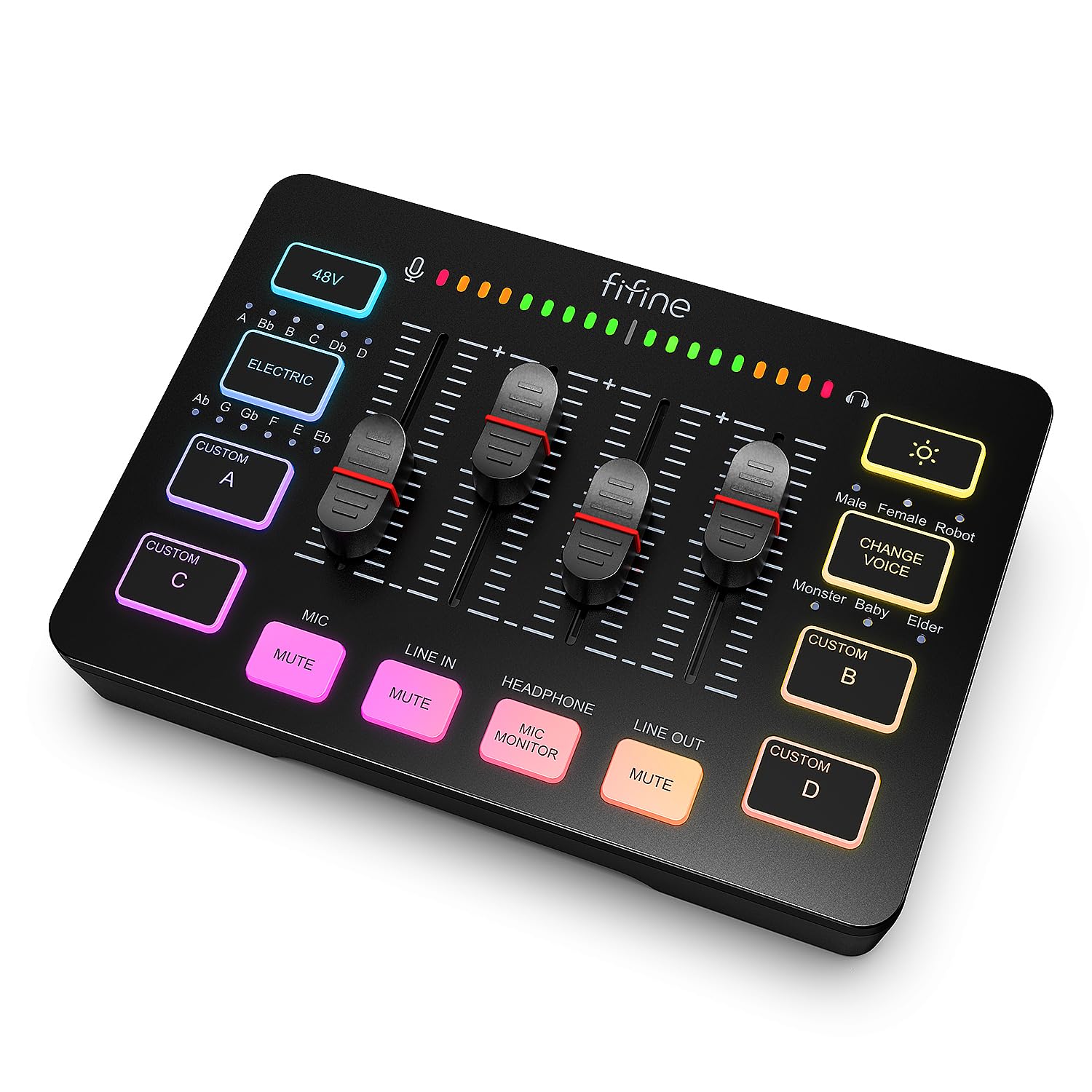
4,000+ ratings
Read Amazon ReviewsFIFINE AmpliGame SC3
A practical fit for beginner streamers who want XLR mic support, physical channel controls, monitoring, and quick sound effects in a compact setup.
- One XLR microphone input with built-in 48V phantom power for compatible microphones; USB microphones are not supported.
- Four independently controlled channels: microphone, line in, headphones, and line out.
- A smooth microphone volume fader and front-panel mute and monitoring buttons.
- Four customizable sound buttons, six voice-changing modes, and 12 auto-tune options.

Pros
- Physical controls let users adjust four audio channels without relying only on software controls.
- Built-in phantom power supports compatible condenser microphones without a separate phantom-power unit.
Consider before buying
- The single XLR microphone input is designed around one-mic recording, not a multi-microphone setup.
- USB microphones are not supported, and an XLR cable must be purchased separately if needed.
Read the full review summary
The SC3’s appeal is its front-panel control: four independent levels cover microphone, line in, headphones, and line out, with a smooth mic fader plus mute and monitor buttons.
That can make routine adjustments easier to reach than controls buried in streaming software, while built-in 48V phantom power supports compatible condenser microphones.
It is aimed at gaming, live streaming, online chat, and basic recording rather than a large multi-mic production. Four customizable sound buttons, voice-changing modes, auto-tune effects, and RGB lighting add creator-focused extras.
Buyers should account for a separate XLR cable and confirm that their microphone and intended two-computer or audio routing setup match the available connections.
The buying factors
AmpliGame SC3 Scorecard
Editorial scores reflect listed features and buyer fit; they are not laboratory measurements or customer ratings.
Hands-on channel control
Four independent level controls and a smooth microphone fader give users direct adjustment over the listed channels.
XLR microphone support
An XLR input and built-in 48V phantom power accommodate compatible XLR microphones, including condenser models.
Live monitoring and mute
Front mute and monitor buttons make these common streaming controls easy to reach.
Creator effects
Four customizable sound buttons plus voice-changing and auto-tune options provide several ways to add effects.
Connection flexibility
The listed mic, line-in, headphone, and line-out connections, plus USB-C computer connection, cover common starter setups; cable and routing details still matter.
Setup simplicity
Plug-and-play support for Windows and Mac is beginner-friendly, though buyers still need to plan their cabling and audio routing.
Key Features and Specifications of AmpliGame SC3
- One XLR microphone input with built-in 48V phantom power for compatible microphones; USB microphones are not supported.
- Four independently controlled channels: microphone, line in, headphones, and line out.
- A smooth microphone volume fader and front-panel mute and monitoring buttons.
- Four customizable sound buttons, six voice-changing modes, and 12 auto-tune options.
- Controllable RGB lighting with flowing or fixed color rotation.
- USB-C connection to a computer using a USB-C to USB-A or USB-C cable; the listed compatibility includes Windows and Mac.
- Line-in connection for a phone or tablet via a 3.5 mm audio cable; an XLR cable is not included.
Pros and Cons of AmpliGame SC3
Pros
- Physical controls let users adjust four audio channels without relying only on software controls.
- Built-in phantom power supports compatible condenser microphones without a separate phantom-power unit.
- Front mute and monitor buttons suit adjustments made while streaming or gaming.
- Custom sound buttons and voice effects give streamers quick-access creative options.
Consider before buying
- The single XLR microphone input is designed around one-mic recording, not a multi-microphone setup.
- USB microphones are not supported, and an XLR cable must be purchased separately if needed.
- Two-computer setups and external audio sources require planning around the listed ports and cables.
Who Should Buy AmpliGame SC3?
Good fit
Consider the SC3 if you are putting together a beginner streaming or gaming setup around one XLR microphone and want physical level controls within reach.
The dedicated microphone, line-in, headphone, and line-out adjustments offer a straightforward way to manage those sources and listening levels from the mixer.
It may also suit creators who want basic live effects in the same device. The customizable sound buttons, voice modes, and auto-tune options are useful if quick audio cues or playful voice changes are part of your stream.
Check your microphone connector and power needs, and plan for an XLR cable if you do not already have one.
Who should skip it
Look elsewhere if your microphone is USB or you need to mix multiple microphones; the SC3’s documented design centers on one XLR mic input.
If your setup depends on a specific dual-computer signal path or several external audio devices, map every input and output against the mixer’s ports before choosing it. The available details do not fully specify every routing combination.
What the AmpliGame SC3 Means for a Starter Streaming Setup
Physical controls for a single-mic workflow
The four-channel layout is the SC3’s most practical distinction. Separate microphone, line-in, headphone, and line-out controls let a streamer make adjustments at the mixer, while the mic fader offers a direct control for voice level.
This is especially useful when frequent changes are part of a live session, though it does not replace checking levels in the streaming application.
Choose the microphone before the mixer
The XLR input and built-in 48V phantom power support compatible XLR condenser microphones, while the product details explicitly exclude USB microphones. That makes connector and power compatibility the first buying check.
Because the XLR cable is not included, also confirm you have a suitable cable for the distance and setup you plan to use.
Effects and monitoring during live use
Front-panel mute and monitoring controls address routine tasks that matter during a broadcast: silencing the mic and listening to the signal.
The four customizable sound buttons and voice effects add a more playful layer for streams or game chat.
These features are best viewed as workflow and presentation tools; the supplied details do not establish how a particular effect will sound with a given microphone or program.
Plan the cable path and desk setup
USB-C connects the mixer to a Windows or Mac computer, while the line-in can take a 3.5 mm connection from a phone or tablet.
The product also describes two-computer use, but a buyer should trace the intended source and output path before relying on that arrangement.
RGB lighting is a visual extra; the core purchase decision is whether the SC3’s listed ports and single-mic controls suit the actual setup.
Alternatives to AmpliGame SC3
DJ Mixers alternative
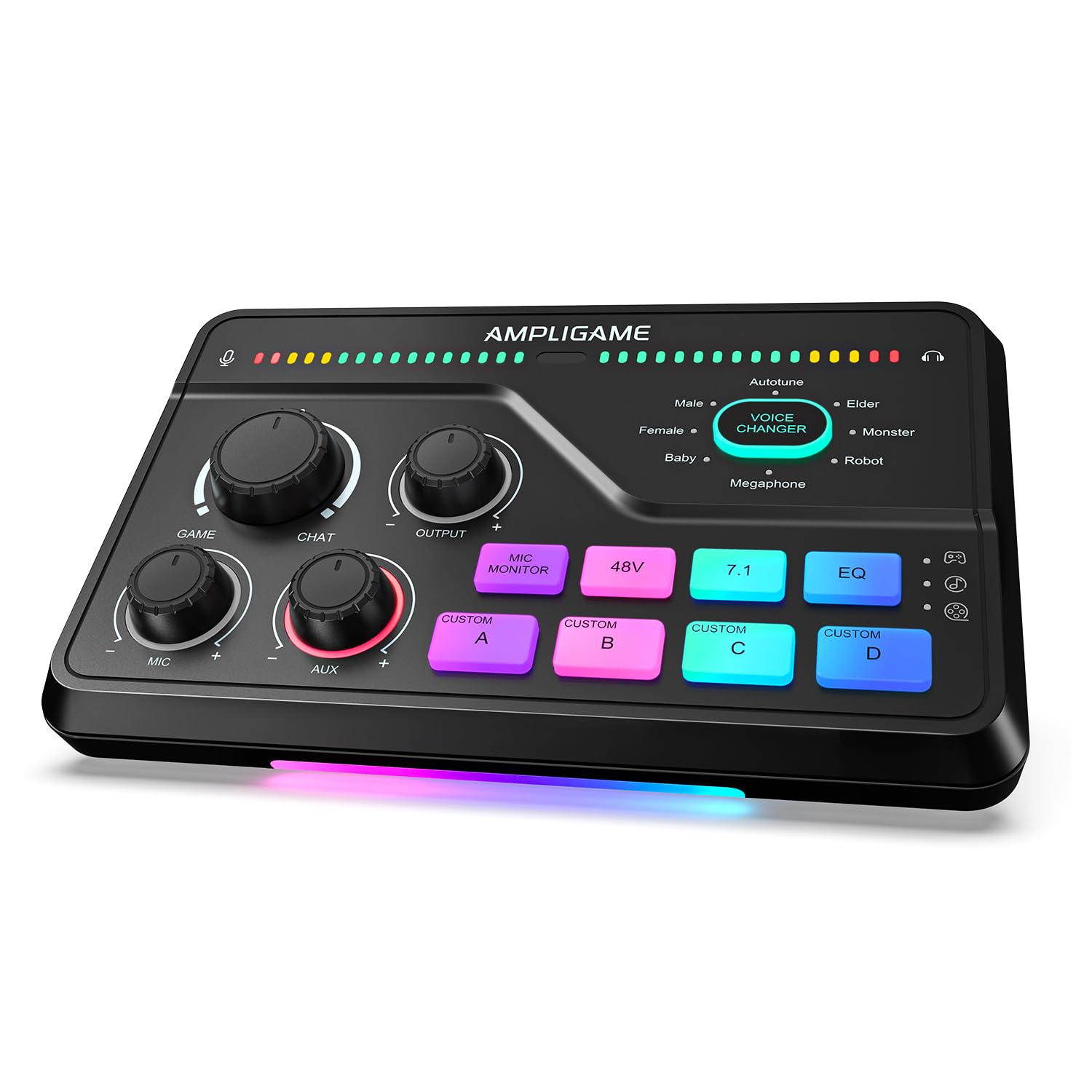
300+ ratings
Read Amazon ReviewsFIFINE AmpliGame SC8
Choose the SC3 if its four-channel fader-oriented layout and single-mic streaming features fit your priorities. Consider the SC8 if balancing game audio against chat, surround processing, or its listed console connections matter more.
- The SC8 adds a dedicated game/chat balance control, virtual 7.1 headphone surround, three EQ modes, and a dynamic/condenser toggle.
- It also lists USB-C plug-and-play support across PC, PS5, Switch, and mobile, plus optical AUX for PS4 or TV.
- The SC3 centers on four independent channel levels for one XLR microphone, line in, headphones, and line out, alongside front mute and monitor buttons.
DJ Mixers alternative
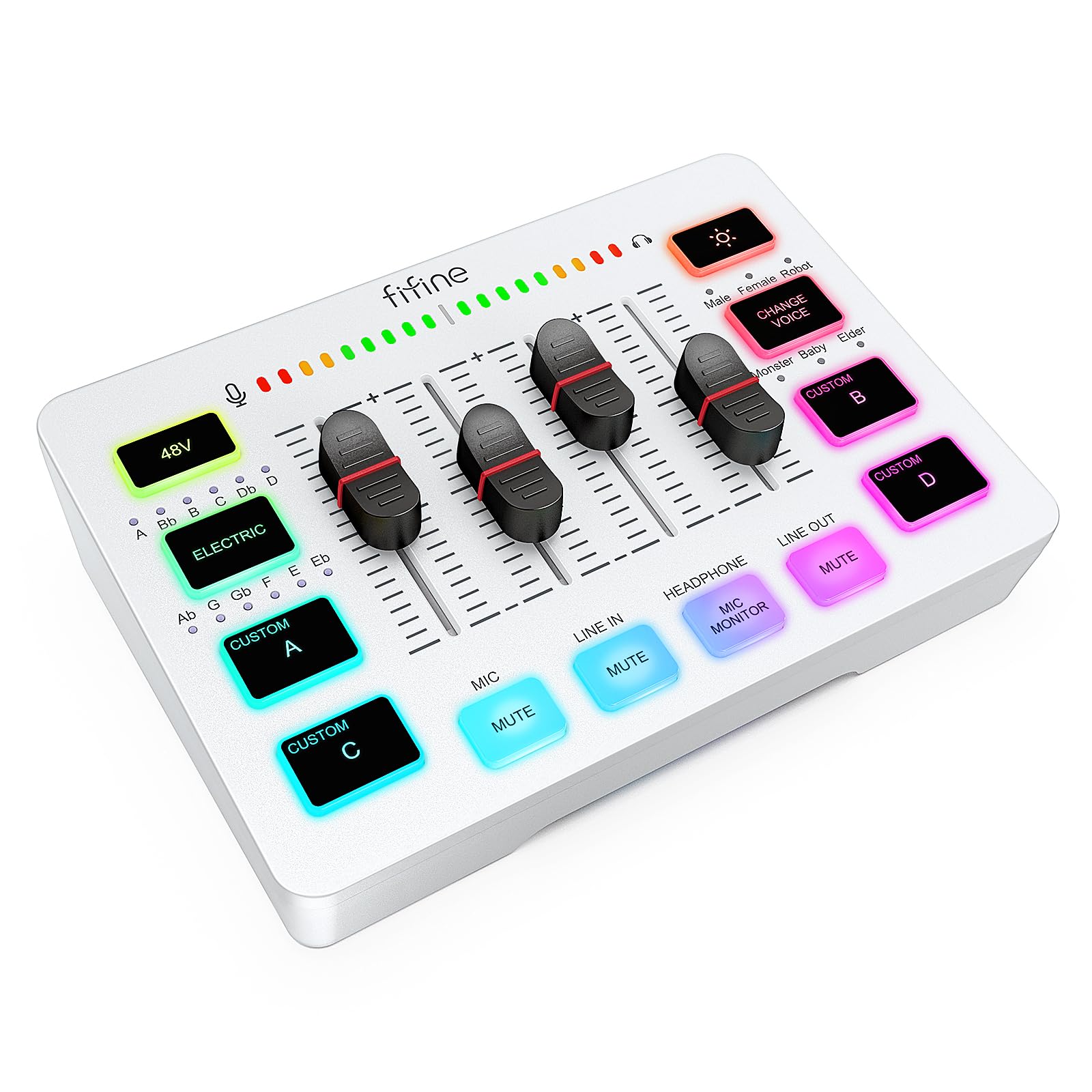
4,000+ ratings
Read Amazon ReviewsFIFINE AmpliGame SC3W
The SC3W is a close alternative for buyers comparing the same general four-channel, XLR streaming approach.
The supplied descriptions do not establish a meaningful functional advantage for one over the other, so compare the specific version and connection layout that best matches your setup.
- The SC3W description also lists four individually adjusted channels, XLR input with 48V phantom power, mute, monitoring, and RGB lighting, along with voice-change and customizable sound options.
- The SC3 combines an XLR input with built-in 48V phantom power, independent channel controls, and front mute and monitoring buttons.
Is AmpliGame SC3 Worth It?
The FIFINE AmpliGame SC3 is worth considering as a starter streaming mixer if you use one compatible XLR microphone and want direct control over mic, line-in, headphone, and line-out levels.
Its front mute and monitoring buttons, phantom power, and quick sound effects make it suited to hands-on gaming and creator workflows.
Before buying, confirm microphone compatibility, account for the separate XLR cable, and map your computer and external-device connections.
Its single-mic design and the need to plan routing make it a more natural fit for a compact streaming desk than a complex multi-mic production setup.
Your review at a glance
4,000+ ratings
Read Amazon ReviewsFIFINE AmpliGame SC3
A practical fit for beginner streamers who want XLR mic support, physical channel controls, monitoring, and quick sound effects in a compact setup.
- One XLR microphone input with built-in 48V phantom power for compatible microphones; USB microphones are not supported.
- Four independently controlled channels: microphone, line in, headphones, and line out.
- A smooth microphone volume fader and front-panel mute and monitoring buttons.
- Four customizable sound buttons, six voice-changing modes, and 12 auto-tune options.